
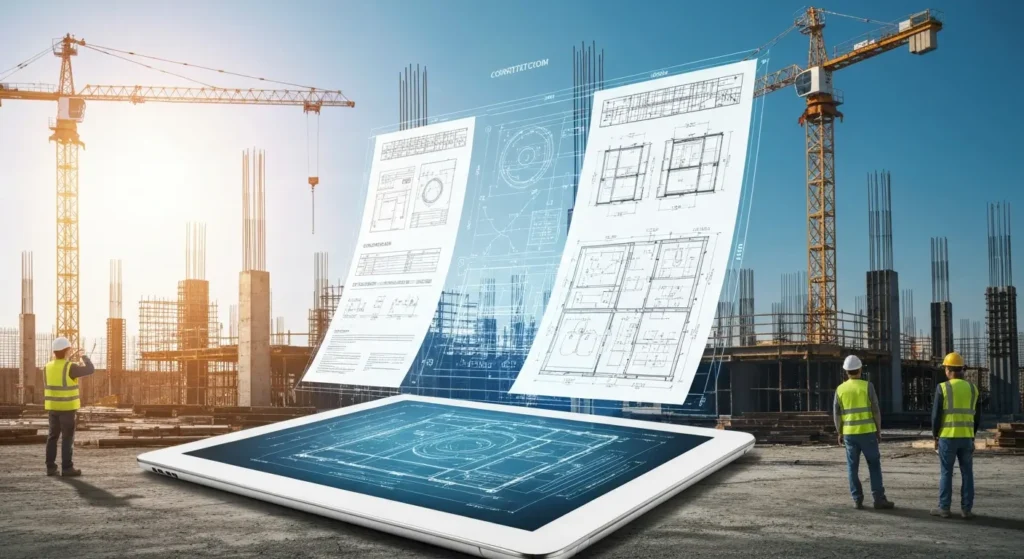
A single construction project can involve an overwhelming amount of paperwork, from plans and permits to contracts and reports. Without a solid system, managing these documents can become chaotic, leading to delays and costly mistakes. This is where construction document management software comes in. These digital platforms are designed to streamline document management, helping you organize, store, and share critical information efficiently. By adopting this technology, you can keep your projects on track and ensure everyone is on the same page.
Understanding Construction Project Document Management Software
So, what exactly is this software and how does it fit into the construction industry? Think of a construction document management system as a digital filing cabinet for your entire project, but much smarter and more accessible. It’s a tool built specifically to handle the unique demands of construction documentation.
This software provides a structured way to manage the flow of information, ensuring that every team member has the right documents when they need them. We’ll explore what this software is, its critical role on a job site, and the types of documents it helps you manage.
What is construction project document management software?
Construction project document management software is a digital platform designed to help you organize, store, and manage all the paperwork associated with a construction project. From initial designs to final closeout forms, these tools provide a centralized location for every piece of project documentation. This simplifies construction management and gives your team a single source of truth.
The primary goal is to improve document control. Instead of files being scattered across different email inboxes, personal drives, and physical filing cabinets, everything is consolidated in one secure, accessible system. This ensures that information can be retrieved quickly and reliably by anyone who needs it.
Key features often include centralized storage, version tracking, and secure access controls. These capabilities help project teams stay aligned and ensure that project progress isn’t slowed down by disorganized or lost paperwork. Are you wondering what other features are essential?
Role of document management in construction projects
In any construction project, effective document management is the backbone of good communication and collaboration. Its role is to ensure that all project stakeholders—from project managers and architects to subcontractors and clients—are working with the same, most up-to-date information. This alignment is crucial for preventing misunderstandings and keeping the project on schedule.
When project documents are managed properly, it creates a transparent environment. Team members can easily access the files they need, track changes, and communicate feedback in one place. This seamless flow of information significantly reduces the time spent searching for files or clarifying details.
Ultimately, a strong document management process helps project managers maintain control and oversight. It reduces the risk of errors caused by outdated information and fosters a collaborative atmosphere where all project stakeholders can contribute effectively to the project’s success.
Common types of documents managed in construction
Construction projects are built on a mountain of project documents. A good management system needs to handle all the different types of documents that flow through a project’s lifecycle. These systems are built to organize project files of every kind, ensuring nothing gets lost.
From the bidding process to project closeout, you’ll encounter a wide variety of construction documents. Having a system that can manage them all is essential for staying organized and efficient. Some of the most common types of documents you’ll handle include:
- Contracts and permits
- Blueprints, drawings, and specifications
- RFIs (Requests for Information) and submittals
- Change orders and daily logs
- Safety reports and inspection records
Software with features like version control and robust search capabilities makes managing these diverse project files much more straightforward.
Why Effective Document Management Matters in Construction
Having a disorganized pile of documents can bring a project to a standstill. Effective document management is a critical component of modern construction project management because it directly impacts efficiency, accuracy, and your bottom line. It transforms messy project data into an organized, accessible resource.
When your team has easy access to the right information, project collaboration improves, costly errors are minimized, and compliance becomes easier to manage. Let’s look at how a streamlined approach to your documents can positively affect collaboration, security, and project outcomes.
Impact on project collaboration and communication
One of the biggest benefits of this software is how it transforms project collaboration. It brings all project stakeholders together onto a single platform, breaking down communication silos that often exist between the office and the field. When everyone has access to the same information, teamwork thrives.
Imagine your construction teams, subcontractors, and clients all viewing the latest project updates in real time. There’s no more confusion about which version of a plan is current or what changes have been approved. This shared understanding is fundamental to smooth project communication.
With a centralized system, sharing files, adding comments, and tracking feedback becomes effortless. This keeps everyone in the loop and ensures that decisions are based on the most accurate and current information available, which is key to keeping a project moving forward without a hitch.
Ensuring compliance and security
Construction projects are bound by numerous regulations and standards, and maintaining compliance is non-negotiable. A document management system is a powerful tool for ensuring you meet all regulatory compliance requirements. It provides a secure, organized repository for all necessary documentation, from permits to safety inspection records.
Data security is another critical aspect. These systems come with features designed to protect your sensitive project information. Role-based access controls ensure that only authorized personnel can view or edit certain documents. This is a crucial security feature that prevents unauthorized changes and protects confidential data.
Furthermore, robust systems include audit trails. This feature tracks every interaction with a document—who viewed it, who edited it, and when. This creates a clear record of accountability, which is invaluable during project audits or in the event of a dispute. It provides a transparent history of your project’s documentation.
Reducing project errors and rework
Working from outdated plans is a recipe for disaster and one of the most common causes of project errors. Document management software helps eliminate these costly mistakes by ensuring everyone on the team is using the most current project documentation. With automated version control, the risk of using an old file is virtually eliminated.
When your team has confidence that they are working with accurate information, project progress can accelerate. There’s less need to double-check if a drawing is the latest version, which saves time and reduces friction. This alignment is a simple but powerful way to prevent rework.
By providing a single source of truth for all project files, the software fosters clear communication and collaboration. When your entire team is on the same page, there is less room for misinterpretation, leading to fewer errors and a smoother, more efficient construction process from start to finish.
Key Features to Look For in Construction Document Management Software
When you start looking for a document management software, you’ll find many options on the market. However, not all are created equal, especially when it comes to the specific needs of construction companies. To get the most value, you need to know which key features to prioritize.
Effective construction document management depends on having the right tools for the job. From storage and organization to security and integration, certain features are non-negotiable for a modern construction firm. Let’s examine the essential capabilities you should look for.
Centralized document storage and organization
The most fundamental feature of any good system is a centralized location for all project documentation. This means every contract, plan, and report is stored in a single, secure digital space. Having one source for all project information eliminates the chaos of scattered files and ensures everyone knows where to find what they need.
This centralized document storage provides easy access for every member of your team, whether they are in the office or on the job site. This immediate availability of information helps keep your project running smoothly and prevents delays caused by searching for misplaced files. A well-organized system will allow you to:
- Store all files in a structured folder system.
- Use powerful search tools to find documents quickly.
- Aggregate all project data in one accessible platform.
Ultimately, a centralized repository keeps your team aligned and efficient, ensuring project information is always at your fingertips.
Version control and revision tracking
Construction project documents are constantly evolving. Plans get updated, specifications change, and new information comes in. Without proper version control, it’s easy for someone to accidentally work from an outdated file, leading to significant errors. A robust document management system solves this by automatically managing revisions.
This feature allows you to track changes made to any document over time. Every time a file is updated, the system saves the new version while keeping a history of all previous iterations. This means you can always be sure your team is using the latest documents.
Can this software help with tracking revisions? Absolutely. It provides a complete history of all project files, showing who made changes and when. This clear audit trail not only prevents mistakes but also enhances accountability across the project team.
Role-based access and permissions
Not everyone on a project needs access to every single file. A key security feature to look for is role-based access control. This allows you to set permissions for different users, ensuring the right people have document access while protecting sensitive information from unauthorized access.
You can grant different levels of access to various stakeholders. For example, you might give project owners view-only access to certain reports, while subcontractors can only see the plans relevant to their specific trade. This level of control is essential for maintaining data security and confidentiality. This granular control means you can:
- Define user roles (e.g., administrator, manager, team member).
- Assign specific permissions for viewing, editing, and sharing files.
- Protect sensitive information like contracts and financial data.
- Prevent accidental or unauthorized changes to critical documents.
By managing who can do what, you empower your team with the information they need without compromising on security.
Integration with other construction tools
Your document management software shouldn’t operate in a silo. The best solutions offer seamless integration with other tools you already use, such as project management software, BIM platforms, or accounting systems. This connectivity is crucial for streamlining workflows and maintaining data accuracy.
When your systems are integrated, you can reduce manual data entry and eliminate duplicate work. For instance, information from your document platform can automatically sync with your construction management software, ensuring consistency across the board. This saves time and reduces the risk of human error.
Many leading construction document management solutions, like Autodesk Construction Cloud Connect, are designed to integrate with hundreds of other systems. This ability to create a connected ecosystem of tools helps your project progress faster and more efficiently, as data flows smoothly between different applications.
Benefits of Using Cloud-Based Construction Project Document Management Software
Moving your document management to the cloud unlocks a new level of flexibility and power. Cloud-based document management solutions offer significant advantages over traditional, on-premise systems. The biggest benefit is giving your team easy access to project information in real time, no matter where they are.
With cloud storage, your data is securely stored and accessible from any internet-connected device. This is a game-changer for the construction industry, where teams are often split between the office and the field. Let’s explore some of the key benefits of using a cloud-based system.
Real-time accessibility for field and office teams
One of the greatest benefits of a cloud-based system is real-time accessibility. Construction professionals are no longer tethered to a desk to access critical files. Field teams can pull up the latest blueprints, safety documents, or daily logs directly on their mobile devices right from the job site.
This instant connection between the office and the field ensures that the entire project team is always on the same page. When an architect updates a drawing, the site supervisor can see the change immediately. This eliminates the delays and miscommunications that happen when information is slow to travel.
This easy access empowers your team to make faster, more informed decisions. It keeps the project moving forward smoothly and ensures that your field teams have the accurate information they need to do their jobs correctly the first time.
Enhanced data security and backup
Data security is a major concern for any business, and construction is no exception. Cloud-based software providers invest heavily in securing their platforms, often offering a level of data security that would be difficult for an individual company to achieve on its own. Your sensitive information is protected through features like encryption both in transit and at rest.
Another advantage of cloud storage is automatic backup. With traditional systems, you’re responsible for backing up your own data, which can be forgotten or done improperly. Cloud solutions automatically back up your data, ensuring that your project information is safe from hardware failure, theft, or other disasters.
This robust approach to data management gives you peace of mind. You can be confident that your critical project documents are protected against loss and unauthorized access, allowing you to focus on managing your project, not your IT infrastructure.
Streamlined sharing of drawings, plans, and updates
The process of distributing drawings and plans can be slow and cumbersome. Printing out large sets of drawings, sending them via courier, and ensuring everyone has the latest version is a logistical challenge. Software streamlines this entire process of drawing distribution and document handling.
With a cloud-based system, you can share large construction documents and project updates with all project stakeholders in just a few clicks. Everyone receives a notification and can access the new files instantly. This ensures that no one is left working from an outdated plan. Key benefits of this streamlined process include:
- Instant sharing of files with project teams.
- Automated notifications for new document versions.
- A full audit trail to track who has received and viewed files.
- Reduced printing and courier costs.
This efficient method of sharing information keeps your project running on schedule and ensures all stakeholders are aligned.
Beginner’s Guide to Getting Started With Construction Document Management Software
Adopting new technology can feel daunting, but getting started with construction document management software doesn’t have to be complicated. For construction firms ready to move away from paper-based systems, a structured approach to software implementation is key to success for your construction business.
This guide will walk you through the essential steps, from figuring out your needs to choosing the right platform and getting it set up. Following these best practices will help ensure a smooth transition and allow you to quickly reap the benefits of a digital workflow.
Essential requirements and resources to begin
Before you jump into choosing a document management system, it’s important to take stock of your essential requirements and resources. The first step is to understand your current processes for handling project documentation. What’s working, and what’s causing bottlenecks?
Once you have a clear picture of your needs, you can start thinking about what the right software should do for you. This involves more than just looking at features; it’s about matching the software’s capabilities to your company’s specific goals. To get started, you will need to:
- Identify the types of documents you manage most frequently.
- Define your goals for the new system (e.g., improve collaboration, reduce errors).
- Assess your budget and the resources you have for implementation and training.
Having a solid understanding of these requirements will make it much easier to evaluate different software options and make an informed decision.
Choosing the right software for your company’s needs
The software selection process is critical. The right software for a large commercial builder might be different from the best choice for a residential remodeler. Your decision should be based on your unique project requirements and business goals. Don’t be swayed by a long list of features you may never use.
Start by creating a shortlist of vendors that cater to construction companies of your size and type. Look at case studies and reviews to see how other firms have benefited from their solutions. When evaluating options, consider how well each platform aligns with the needs of a specific project you have in mind.
It’s also a good idea to involve your team in the decision-making process. The people who will be using the software every day often have the best insights into what will work and what won’t. Their buy-in is crucial for a successful implementation.
Step-by-step guide/process
Transitioning to digital document management can be broken down into a simple, step-by-step process. Following a clear plan will help you stay organized and ensure a successful rollout. A structured approach minimizes disruption and helps your team adopt the new system quickly.
The key is to move methodically from planning to execution. Each step builds on the last, creating a solid foundation for your new document management workflow. By following these best practices, you can make the switch to a digital system feel seamless. The general process includes these key stages:
- Identifying your project needs and document types.
- Setting up user roles and permissions.
- Uploading and organizing existing and new project documentation.
- Integrating the software with your other tools.
- Training your team on the new platform.
Step 1: Identifying project needs and document types
The very first step in your journey is to thoroughly understand your project needs. What are the biggest documentation challenges you face during your typical construction process? Talk to your project managers, field staff, and administrators to get a complete picture of the pain points.
Next, make a comprehensive list of all the types of documents you handle. This includes everything from initial bids and contracts to RFIs, change orders, and closeout packages. Knowing the volume and variety of your project documentation will help you identify which software features are most important for your business.
This initial assessment is crucial. It provides the foundation for your entire selection process and ensures that you choose a solution that directly addresses your company’s real-world challenges, rather than a generic one-size-fits-all platform.
Step 2: Setting up user roles and permissions
Once you’ve selected your software, the next critical step is to configure user roles and permissions. This is where you implement the access control that keeps your information secure while ensuring your team has easy access to the files they need to do their jobs.
Start by defining the different user roles within your projects. You might have roles for project managers, architects, subcontractors, and clients. For each role, you’ll need to decide what level of permissions they should have. Should they be able to view, edit, upload, or delete documents?
Setting up these permissions correctly from the start is a fundamental security feature. It ensures that the right people have access to the right information and prevents unauthorized individuals from making changes or viewing sensitive data.
Step 3: Uploading and organizing project documents
With your permissions in place, it’s time to start populating the system with your project documents. This is a crucial step in your transition to better document management. Begin by creating a logical folder structure that makes sense for your projects. A consistent organization system will make it easy for everyone to find what they’re looking for.
Many software solutions allow for bulk uploading, which can save a significant amount of time when you’re first getting started. You can upload entire folders of documents from your existing drives directly into the new system. This simplifies the initial document handling process.
Take the time to organize your files properly during this stage. A well-organized system from day one will pay dividends in the long run by ensuring quick and easy access to information for the entire project team.
Step 4: Integrating software with existing tools and workflows
The final step in the setup process is integration. To get the most out of your new software, you should connect it with the other tools and workflows your team relies on. This creates a cohesive system where data flows seamlessly between different platforms, improving overall efficiency in your construction management.
Look for built-in integrations with your project management software, accounting systems, and BIM or CAD tools. For example, connecting your document platform to your scheduling software can help link project plans directly to tasks and milestones, providing greater context for your team.
This integration step is what transforms a simple document repository into a powerful hub for your entire construction process. It streamlines workflows, reduces manual data entry, and helps ensure a smoother path to project completion.
Top-Rated Construction Project Document Management Software Solutions for 2026
Now that you know what to look for, you might be wondering which solutions are the best software choices for the construction industry. There are many excellent document management software options available, each with its own set of strengths.
To help you narrow down your search, we’ve compiled a list of some of the top-rated construction management software solutions for 2026. These platforms are well-regarded for their robust features, user-friendly interfaces, and strong performance in real-world construction environments.
Projectler: Features and advantages for US construction projects
Among the leading software solutions, Projectler stands out as a powerful and intuitive option for US construction projects. It is designed to streamline every aspect of document management, from initial bidding to final project closeout. Projectler offers a comprehensive suite of tools that help project managers keep their teams organized and projects on track.
The platform excels at simplifying complex workflows. Its key features are tailored to the specific needs of the construction industry, including robust version control, real-time collaboration tools, and mobile accessibility for field teams. This makes it an excellent choice for firms looking to enhance productivity and reduce errors.
Projectler’s focus on user-friendliness ensures that your team can get up and running quickly, maximizing your return on investment.
| Feature | Advantage for US Construction Projects |
|---|---|
| Centralized Document Hub | Provides a single source of truth for all project files. |
| Real-Time Collaboration | Connects office and field teams for seamless communication. |
| Advanced Version Control | Ensures everyone works from the most current set of plans. |
| Mobile Access | Allows on-site access to documents, photos, and daily logs. |
| RFI & Submittal Tracking | Streamlines communication and approval workflows. |
Autodesk Docs and Autodesk Construction Cloud Connect
Autodesk is a major name in the construction industry, and its software solutions are among the most powerful available. Autodesk Docs is a centralized cloud storage platform for document management that supports projects through every phase of the lifecycle. It excels at managing both 2D drawings and 3D models.
The platform provides robust tools for document control, automated review and approvals, and team collaboration through markups and issues. This helps streamline workflows and reduce manual effort, making it a top choice for construction project management.
Furthermore, Autodesk Construction Cloud Connect allows you to build custom integrations between Autodesk’s platform and hundreds of other systems. This capability lets you automate data transfer, sync files with other cloud storage solutions like SharePoint, and create a truly connected project environment.
Procore and Bluebeam
Procore is another widely favored project management software in the construction industry, used on millions of projects worldwide. It consolidates project data and workflows into a single dashboard, enabling complete collaboration between all team members, from the office to the field. Its strengths include real-time collaboration and a digital paper trail for inspections and audits.
Bluebeam, available as Revu or in the cloud, is an all-in-one digital solution for managing construction projects. It is designed to ensure that everyone from managers to subcontractors is up to speed on the latest plans and policies.
Bluebeam’s key features include secure centralized storage and geo-location capabilities for complete visibility on the job site. Both Procore and Bluebeam are trusted platforms that help construction firms manage their projects with greater efficiency and control.
Egnyte, SharePoint, and other notable options
Beyond the construction-specific giants, several other powerful platforms are used by construction firms for their document management needs. These solutions offer robust features for file sharing, collaboration, and secure cloud storage. They can be excellent choices, especially when integrated with other construction management tools.
Egnyte is a flexible content management solution that supports both on-premise and cloud-based storage, giving firms more control over their data. SharePoint, part of the Microsoft 365 ecosystem, is a popular choice for companies that already rely on Microsoft’s tools for collaboration. Other notable options include:
- Box: A cloud content management platform focused on secure collaboration for enterprises.
- Dropbox: A well-known cloud storage solution with features designed to improve productivity and teamwork.
- 360 Sync: A tool that automates file synchronization between various applications, including Autodesk Construction Cloud and other systems.
These platforms provide the flexibility to build a document management system that fits your firm’s unique needs.
How Document Management Software Improves Collaboration Among Construction Teams
We’ve touched on collaboration, but how exactly does document management software make it happen? The magic lies in creating a connected and transparent environment where information flows freely and accurately among all project stakeholders. It breaks down the barriers that typically hinder project communication.
By providing a single platform for all project information, the software ensures that construction teams are always working in sync. This alignment is the foundation of effective collaboration. Let’s look at the specific features that make this improved teamwork possible.
Real-time updates and notifications
In a fast-moving construction project, staying informed about the latest developments is crucial. Document management software facilitates this with real-time updates and automated notifications. When a document is changed, an RFI is answered, or a new drawing is uploaded, the relevant members of the project team are instantly alerted.
This constant flow of information ensures that no one is left in the dark. Team members no longer have to waste time chasing down updates or wondering if they have the latest information. This helps keep project progress on track and empowers the team to act quickly. Key features that support this include:
- Automated alerts for document changes.
- Notifications for required actions, like approvals.
- A centralized feed of project activity.
- Mobile notifications for on-the-go updates.
These real-time capabilities are essential for keeping a modern construction project team connected and productive.
Streamlined communication between project stakeholders
Effective project management hinges on clear project communication between all project stakeholders. Document management software acts as a central communication hub, streamlining interactions between architects, engineers, contractors, and clients. Instead of relying on scattered emails and phone calls, all communication related to a document can happen right on the platform.
Features like commenting and markups allow team members to provide feedback directly on drawings and reports. This ensures that all conversations are captured in one place and are linked to the relevant project information. This context is invaluable for avoiding misunderstandings.
By centralizing communication, these platforms create a transparent record of all discussions and decisions. This improves accountability and makes it easy for anyone on the construction teams to get up to speed on the status of any issue.
Simplified drawing and plan distribution
The traditional process of drawing distribution is often a major bottleneck in construction projects. Document management software completely transforms this workflow. Instead of printing and shipping physical sets of construction documents, you can distribute them digitally to your entire team in an instant.
This simplified document handling ensures that everyone has easy access to the most current set of plans. When a revision is made, you can push the update to all relevant parties with a single click. This eliminates the risk of field crews working from outdated project documents, a common source of costly rework.
Features like transmittals create a formal record of when documents were sent and to whom, providing a clear audit trail. This streamlined approach to drawing distribution not only saves time and money but also significantly improves project coordination and accuracy.
Security and Compliance Features in Construction Document Management Software
Beyond collaboration and efficiency, security and compliance are two of the most important functions of a document management software. Protecting your project data and ensuring you meet all legal and industry standards are critical for mitigating risk. These platforms are designed with robust features to address both needs.
From encrypting your data to providing detailed audit trails, these systems give you the tools to maintain control over your information and demonstrate compliance with confidence. Let’s examine the key security and compliance features you should expect.
Encryption and data protection
Data protection is paramount, especially when dealing with sensitive information like contracts, bids, and financial data. Modern document management software employs strong encryption to safeguard your files. This means your data is scrambled and unreadable to anyone without authorized access, both while it’s being transferred and while it’s stored on servers.
This is one of the most fundamental security features construction companies should look for. It provides a powerful defense against data breaches and ensures that your confidential project details remain private. You can have peace of mind knowing your data is secure.
In addition to encryption, these platforms offer other data protection measures, such as secure login protocols and role-based access controls. Together, these features create a multi-layered defense system to protect your company’s valuable information from a wide range of threats.
Audit trails and activity logs
How do you know who did what and when? A document management system answers this question with detailed audit trails and activity logs. This feature automatically records every action taken within the system, creating a comprehensive history of all document interactions.
These logs track every view, edit, download, and approval, providing a transparent record of activity. This is incredibly useful for compliance purposes, as it allows you to demonstrate that proper procedures were followed. It also helps you track changes and understand how a document has evolved over time.
In the event of a dispute or an audit, these activity logs are invaluable. They provide indisputable evidence of what happened, which can help resolve disagreements quickly and fairly. This level of accountability is a key security feature that promotes responsible document handling across your entire team.
Meeting industry regulations and compliance standards
The construction industry is governed by a host of regulatory requirements and industry standards. Failing to meet these can result in fines, legal issues, and damage to your company’s reputation. Document management software helps you stay on top of your compliance obligations by keeping all your required documentation organized and accessible.
Whether it’s OSHA safety records, environmental permits, or ISO 19650 standards for information management, these systems provide a structured way to store and manage your compliance-related files. This makes it much easier to prepare for audits and demonstrate that you are following best practices. A good system helps you meet compliance by:
- Providing a secure repository for all compliance documents.
- Using audit trails to prove adherence to procedures.
- Automating reminders for inspections or report submissions.
- Ensuring records are maintained according to regulatory requirements.
By centralizing your compliance efforts, the software helps you reduce risk and operate with greater confidence.
Integrating Document Management Software With Other Construction Tools
The true power of modern document management software is unlocked when it works in harmony with your other construction tools. Integration allows you to create a connected digital ecosystem where information flows seamlessly across every stage of the construction process. This eliminates data silos and streamlines your workflows.
By connecting your document platform with your project management software, scheduling apps, and design tools, you can create a single, unified command center for your projects. Let’s look at how these integrations can enhance your operations.
Connecting with scheduling and project management platforms
Integrating your document management system with your project management software creates a powerful synergy. This connection allows you to link documents directly to specific tasks, milestones, and schedules. For example, a task to install windows can be directly linked to the relevant shop drawings and installation guides.
This integration provides crucial context for your team and ensures they have all the information they need to complete their work efficiently. It also improves resource allocation, as managers can see which documents are associated with which tasks and plan accordingly.
Ultimately, this seamless flow of information between platforms helps keep your project on track. It reduces the time spent switching between applications and ensures that your entire team is aligned, leading to a smoother and faster project completion.
Linking to BIM and CAD solutions
For firms that use Building Information Modeling (BIM) and CAD tools, integration with your document management system is essential. Many platforms offer direct integration with software like Autodesk Revit and AutoCAD. This allows you to manage your 2D and 3D design files within the same environment as all your other project documents.
This integration is critical for effective construction project management. It streamlines the design review process, allowing teams to collaborate on models, add markups, and track issues in a centralized location. It also ensures that everyone is working from the most current version of the model, preventing errors that can arise from outdated design files.
By linking your design and documentation workflows, you create a more cohesive and efficient process. This helps you identify and resolve design problems earlier, saving time and money before construction even begins.
Mobile capabilities for on-site teams
Mobile capabilities are a crucial part of an integrated construction workflow. The ability for field teams to access information on their phones or tablets is what truly connects the job site to the office. Cloud storage makes this possible, giving construction professionals easy access to any document they need, right from the palm of their hand.
On-site team members can pull up the latest plans, submit daily reports with photos, or access safety documents without ever leaving the site. This immediate access to information empowers your field teams to make quick decisions and resolve issues on the spot.
These mobile capabilities are a key benefit of modern, cloud-based systems. They ensure that your on-site personnel are always connected and equipped with the most accurate information, which is essential for keeping a project safe, on schedule, and on budget.
Choosing the Right Construction Document Management Software for Your Business
The final decision in your software selection process is a significant one for your construction business. The right software can be a powerful asset, while the wrong one can create more problems than it solves. For project managers and business owners, choosing the best software means carefully weighing several important factors.
It’s not just about finding the platform with the most features. It’s about finding the one that best fits your company’s size, budget, workflows, and long-term goals. Let’s cover the final considerations to help you make the right choice.
Factors to consider: scalability, usability, and cost
When you’re evaluating the right software, three factors should be at the top of your list: scalability, usability, and cost. These elements will determine the long-term success of the platform for your construction firm.
First, consider scalability. Will the software grow with your business? You need a solution that can handle larger projects and more users as your company expands. Next, think about usability. The best software is intuitive and easy for everyone to learn, from your most tech-savvy project manager to your field crews. High user adoption is key to getting value from your investment. Finally, you must evaluate the cost and licensing structure to ensure it fits your budget and provides a clear return on investment.
When making your choice, be sure to weigh these factors:
- Scalability: Can it support future growth?
- Usability: Is the interface user-friendly for all team members?
- Cost: Does the pricing model align with your budget and offer good value?
- Integration: Does it connect with your other essential tools?
Evaluating customer support and training options
Even the best software can be challenging to implement without good support. When choosing a provider, take the time to evaluate their customer support and training options. Responsive and knowledgeable support is crucial for resolving any issues quickly and keeping your projects moving forward.
A smooth software implementation often depends on the quality of the training provided. Look for vendors that offer comprehensive training resources to help your team get up to speed. This could include online tutorials, live webinars, or in-person sessions. The goal is to make sure all project stakeholders feel confident using the new system.
Don’t underestimate the importance of this human element. A strong partnership with your software provider can make all the difference in a successful transition and the long-term success of your construction management strategy.
Assessing integration and future-proofing
Integrating construction project document management software with existing systems is crucial for enhancing workflow efficiency. Seamless connection allows team members to access project data and documentation in real-time, minimizing the risk of costly mistakes. Future-proofing involves adopting solutions that adapt to evolving industry standards and regulatory requirements. With features like version control and audit trails, construction firms can ensure compliance while safeguarding sensitive information. Selecting the right software enables effortless updates and document handling, creating a centralized location for project files that supports collaborative efforts among stakeholders.
Conclusion
Selecting the right construction project document management software is essential for enhancing efficiency and collaboration among construction teams. By utilizing tools like Projectler, teams can streamline document handling, ensuring that the latest documents are easily accessible in a centralized location. This not only promotes version control and tracks changes but also supports regulatory compliance and data security. Embracing these solutions minimizes the risk of costly mistakes, optimally aligning project stakeholders and ultimately leading to successful project completion. The right choice leads to a transformative construction process.
Frequently Asked Questions
Can document management software track revisions and changes to construction plans?
Yes, document management software can effectively track revisions and changes to construction plans. These tools provide version control, allowing teams to monitor edits, access previous versions, and ensure all stakeholders are informed about updates, thus enhancing collaboration and reducing errors.
Is document management software suitable for small construction projects?
Yes, document management software is suitable for small construction projects as it streamlines communication, enhances collaboration, and organizes documentation efficiently. This ensures that all team members have access to the latest project information, reducing errors and improving overall project management.
What security features should construction companies expect?
Construction companies should expect robust security features such as data encryption, user authentication, role-based access control, and audit logs. These ensure sensitive project documents are protected from unauthorized access while maintaining compliance with industry regulations and safeguarding client information.
How does document management software integrate with other construction solutions?
Document management software integrates seamlessly with other construction solutions by enabling data sharing, enhancing collaboration, and streamlining workflows. This interoperability ensures that teams can access real-time information across platforms, improving project efficiency and decision-making while reducing the risk of errors.